

Turn your browser into a branch.
Log in or enroll to track your spending, pay bills, move money, and more, all in one (digital) place.


Bank from bed, the couch, or the airport lounge
Stay connected to your money, wherever there’s an internet connection. With Online Banking, you can do any ordinary banking task — or discover extraordinary money management tools.


Everyday banking, any time
Pay bills, move money, and open new accounts, all in a few quick clicks.
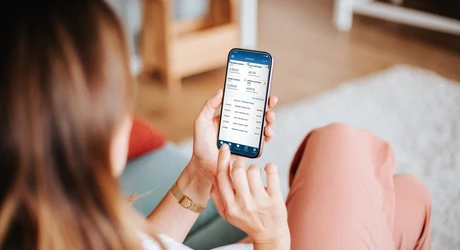
Keep tabs on your spending
With eAlerts and our Budget Tool, plus eStatements and eNotices, we’ll keep you instantly informed about changed to your account, all while helping you confidently achieve your financial goals.

Bank on the go
Add our mobile app to your toolkit to check balances, deposit checks, and manage money securely, wherever you take your phone.1

How to use Online Banking
Your home for all things banking only takes minutes to set up.

Sign up online
Enroll with your account number and Social Security Number to start using Online Banking.

Sign in online, or in our app
You can use your same Online Banking username and password in the LMCU Mobile App.

Build your toolkit
Turn on eAlerts, explore our Budget Tool, and choose eStatements and eNotices to stay informed.

Put the you in LMCU
Check your balances, pay bills, and transfer money: when and wherever works best for you.

Online Banking FAQs
Enroll in Online Banking here using your account number and Social Security Number, then choose your username and password.
Download the LMCU mobile app from the Apple App Store or Google Play store and log in using your same Online Banking username and password.
If you have trouble signing in, you can reset your password or verify your identity through LMCU Online Banking. If you still need help, the LMCU Help Center has guides, videos, and answers to common questions.
Select the Mobile Check Deposit feature in the LMCU mobile app to take pictures of an eligible check and automatically deposit it into your account.
Most bill payments made through the Bill Pay tool in Online Banking or our mobile app arrive within 2 to 7 days. You can also turn on Bill Pay alerts to keep up with payment activity and stay organized.
You can set up LMCU eAlerts in Online Banking to keep up with balances, account activity, reminders, and other updates. Learn more about setting up eAlerts here.
To track spending and view your account activity, use the Wallet Wisdom Insights in the LMCU Mobile App. You can also link accounts from other financial institutions to see more of your finances in one place.
Once you enroll in eStatements, you can view LMCU eStatements and eNotices in Online Banking or by following the link in your monthly eStatement email.
Our LMCU Mobile Authenticator adds an extra layer of login security for Online Banking by sending you a one-time passcode through the LMCU Mobile App.
Yes, you can access Online Banking through your phone’s browser, or use our phone and text banking services.

Banking tools to keep up your sleeve and in your pocket.


Disclosures
Third party internet/mobile/data fees may apply.
